Marketo Formula Fields as Webhook translation layer
I recently had a discussion with a colleague that lead to an interesting revelation - a great use case for Marketo's formula fields. In fact, it's the first time I've ever used them!
The case was this: My colleague needed to send information to a consent management system. The consent management system wanted values of 'Granted' or 'Denied' to denote whether a particular email preference had been subscribed to. However, the database held Booleans e.g. true/false (we won't get into null mostly kinda sorta equals false in this post, but my mate Sanford has written about it here.)
I pondered this and decided to test if formula fields could solve this. The great news? Yes they can!
I created a formula field like this:
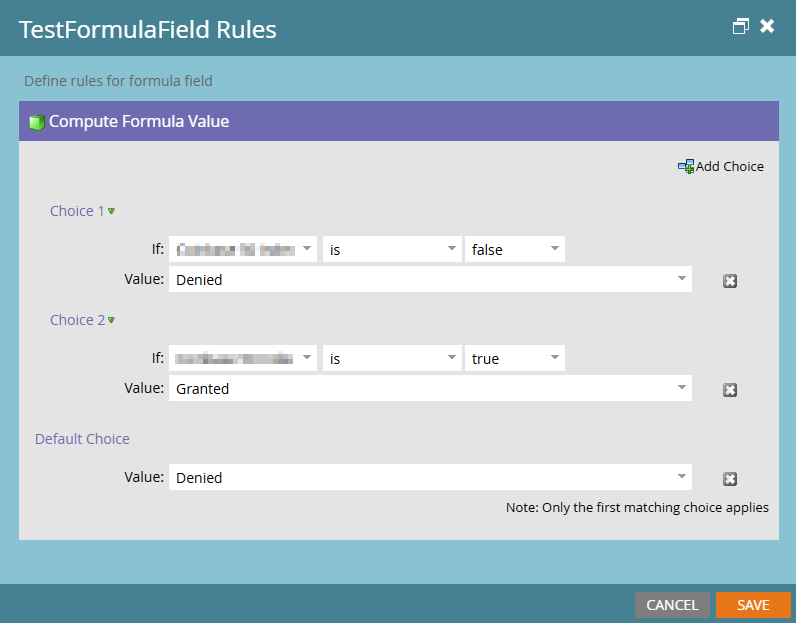
This converted the Boolean true and false into 'plain English', or at least something that wasn't 1/0 or true/false. The eagle eyed amongst you will have noticed that I could have just specified the formula as one choice for true = Granted and a default choice setting the value to Denied, but I wanted to be belt and braces as this was very experimental. My colleague took the more straightforward and utterly sane approach of having true = Granted, and default = Denied.
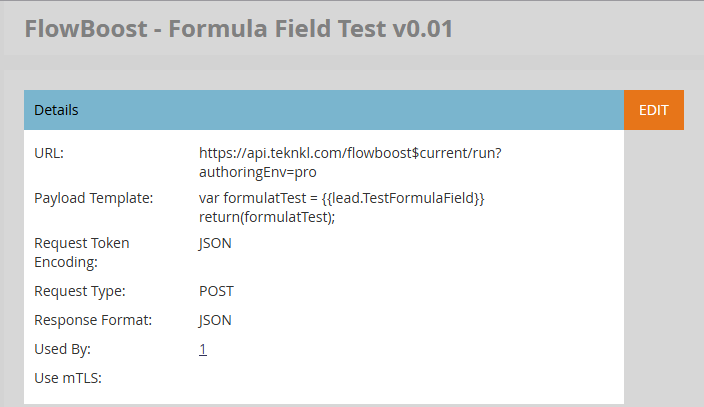
I wrote a very simple webbook that did nothing other than ingest the token and return the value. You'll see I've used FlowBoost, which was complete overkill, as FlowBoost(1) could easily do the manipulation itself. However, it was a convenient webhook endpoint that I had available so it's what I used.
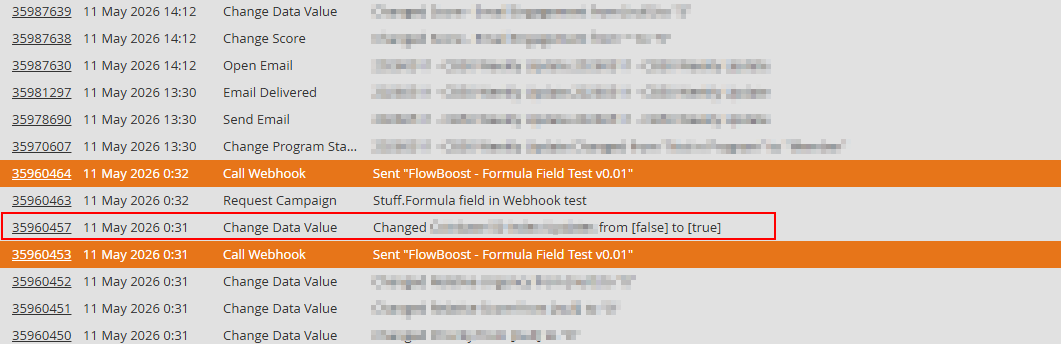
Next, I called the webhook from a test smart campaign. My Boolean was false when I started, and this snippet from the activity log shows where I changed it from false to true (inside the red box).
The next image is the detail of the activity at 0:32 (the topmost of the two orange highlighted activities).
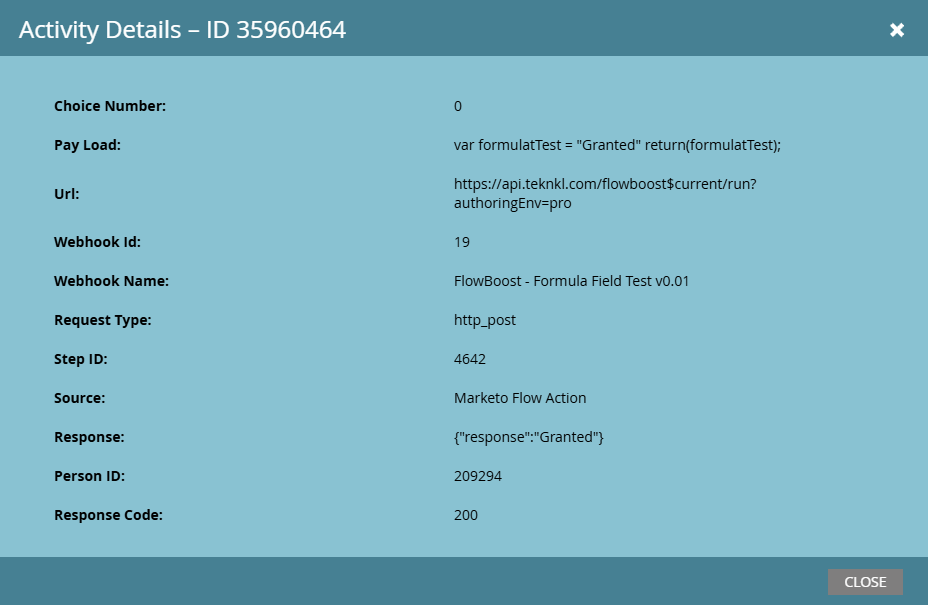
You can clearly see in the payload that 'Granted' has been placed into the Webhook, and that the response was also 'Granted', providing proof positive that you can use formula fields to act as a translation layer between Marketo fields and webhooks. It doesn't just have to be Booleans that act as the basis for your formula, that just happened to be the use case I was dealing with.
My colleague created nine formula fields, one for each Boolean preference field, and then passed each of the formula fields as tokens into the webhook payload. Their results have been 100% successful.
Another day, I'll write about why you shouldn't use Boolean fields to manage preferences, but hopefully this will solve some data translation problems for you!
(1) If you don't use FlowBoost - seriously, go check it out. It is the most staggeringly useful and powerful Marketo addon that you'll find.
